
What Temperature to Leave Your AC on When Traveling Away from Riverside for the Summer
Leaving your AC running while you travel from Riverside requires balancing energy savings against protecting your home from the Inland Empire’s extreme summer heat. The Department of Energy recommends setting your thermostat to 85-88°F during summer vacations to prevent heat damage while keeping utility costs manageable. Department of Energy thermostat recommendations.
Why Riverside Homes Need Special AC Settings
Riverside experiences summer temperatures that regularly exceed 100°F, with July and August often seeing triple-digit heat for weeks at a time. The Inland Empire’s desert-adjacent climate creates unique challenges for homeowners traveling during peak summer months. HVAC Palm Desert.
Unlike coastal areas where moderate temperatures prevail, Riverside’s intense heat can cause serious damage to your home’s interior when the AC is turned off completely. Wood floors can warp, electronics can overheat, and indoor humidity can spike to levels that promote mold growth.. Read more about Understanding Your Riverside Public Utilities Bill and Why Your AC Costs So Much.
The 4-Degree Rule for Summer Travel
Set your thermostat to 85-88°F while you’re away during summer months. This temperature range protects your home while saving approximately 5-10% on cooling costs compared to your normal 78°F setting.. Read more about Staying Cool During a Riverside Power Outage (Tips for Every Local Homeowner).
The 4-degree rule works because modern AC systems can efficiently cool your home back down when you return. A properly sized system will bring your home from 85°F to a comfortable 78°F within 2-3 hours.
Special Considerations for Riverside’s Climate
Riverside’s low humidity during summer heat waves actually makes the 85-88°F range more effective. Unlike humid climates where moisture can cause damage at higher temperatures, our dry heat means you can safely set temperatures slightly higher without risking mold or mildew.
However, if you’re traveling during a Santa Ana wind event, consider setting your thermostat to 82-85°F instead. These hot, dry winds can push indoor temperatures higher than expected and may strain your AC system when it needs to catch up.
Protecting Your Home’s Interior
Beyond temperature, consider what’s inside your home. Electronics generate heat and can be damaged by sustained high temperatures. Set your thermostat to 82°F if you have:
- Wine collections that shouldn’t exceed 75°F
- Musical instruments that can warp in heat
- Artwork or photographs that are heat-sensitive
- Computers or servers that need climate control
Smart Thermostat Features for Travelers
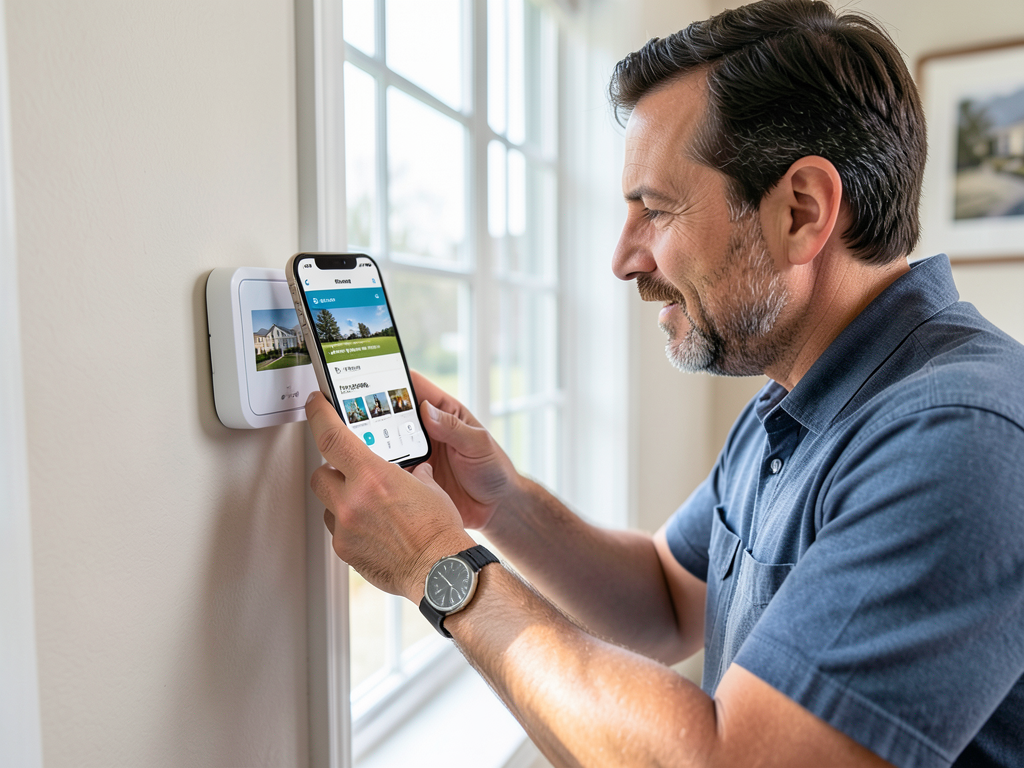
Modern smart thermostats from Nest, Ecobee, and Honeywell offer vacation modes that automatically adjust settings and can be controlled remotely. These systems can:
- Detect when you’re away using geofencing
- Send alerts if indoor temperatures exceed safe levels
- Allow you to adjust settings from your smartphone
- Integrate with home security systems for complete monitoring
Winter Travel Settings for Riverside Homes
Winter in Riverside is mild, but freezing temperatures can occur, especially in the foothills and canyons. When traveling during winter months, set your thermostat to 50-55°F to prevent frozen pipes while saving energy. Energy Star smart thermostat benefits.
Riverside rarely experiences sustained freezing temperatures, but overnight lows can dip below 32°F several times per winter. The 50-55°F range provides a safety buffer for most homes.
Pre-Vacation HVAC Checklist
Before leaving for your summer trip, complete this HVAC maintenance checklist to ensure your system runs efficiently while you’re away:
- Change Air Filter
Replace your air filter to ensure maximum airflow and efficiency while you’re gone. Switching to a High Efficiency Heat Pump in Riverside to Save on Monthly Energy Bills.
- Clear Condensate Drain Line
Flush the drain line with vinegar to prevent clogs that could cause water damage.. Read more about What to Do When Your AC Drain Line Clogs and Floods Your Riverside Attic.
- Check Outdoor Unit
Remove debris, trim vegetation 2 feet away, and ensure proper airflow around the condenser.
- Test Thermostat Operation
Verify your thermostat is communicating properly with your AC system.
- Install Surge Protection
Add a whole-home surge protector to guard against power surges during summer storms.
Energy Savings Calculator for Riverside Residents
Based on Southern California Edison’s current rates and typical Riverside summer conditions, here’s what you can expect to save:
| Setting While Away | Estimated Daily Savings | 10-Day Vacation Savings |
|---|---|---|
| 78°F (normal) | $0 | $0 |
| 82°F | $2.40 | $24.00 |
| 85°F | $3.60 | $36.00 |
| 88°F | $4.80 | $48.00 |
Pet Safety Considerations
If you’re leaving pets at home with a sitter, never set your thermostat above 82°F. Dogs and cats can suffer heat stress at temperatures that seem comfortable to humans.
For homes with pets, set your thermostat to 78-80°F and ensure your pet sitter knows how to adjust settings if needed. Provide clear instructions about keeping blinds closed during the hottest parts of the day.
Humidity Control During Santa Ana Events
Santa Ana winds can push indoor humidity below 20%, creating static electricity and drying out wood furnishings. If you’re traveling during a Santa Ana event, consider:
- Setting your thermostat to 82°F instead of 85°F
- Running a whole-house humidifier if you have one
- Closing all windows and ensuring weatherstripping is intact
Surge Protection for Your HVAC System
Summer thunderstorms and power grid fluctuations can damage your AC’s sensitive control boards. Install a surge protector specifically designed for HVAC systems to prevent costly repairs while you’re away. Same Day Emergency AC Repair for Families in Orangecrest.
Modern HVAC surge protectors can detect voltage spikes and disconnect your system in milliseconds, protecting your compressor and control board from damage.
Remote Monitoring Solutions
Consider installing a Wi-Fi thermostat that sends alerts to your phone. These devices can notify you if:
- Indoor temperatures exceed your set threshold
- Your AC system stops running unexpectedly
- Power is lost to your home
Remote monitoring provides peace of mind and allows you to call for service before minor issues become major problems.
Common Mistakes to Avoid
Many homeowners make these errors when setting their AC for vacation:
- Turning the system completely off during summer heat
- Setting temperatures too low (wasting energy)
- Closing vents in unused rooms (can damage your system)
- Neglecting to change the air filter before leaving
When to Call a Professional
Before your summer vacation, consider scheduling a professional HVAC inspection if:
- Your system is over 10 years old
- You’ve noticed reduced cooling performance
- Your energy bills have been increasing
- You hear unusual noises from your AC unit
A pre-vacation tune-up can identify potential problems before they leave you with a non-functioning system while you’re away.
Emergency Contacts and Resources
Save these numbers before you travel:
- Horizon HVAC Riverside: (951) 223-9644
- Southern California Edison Emergency: 1-800-611-1911
- Riverside County Building Department: (951) 955-1000
Having these contacts readily available can save valuable time if issues arise while you’re away.
Energy Efficiency Programs in Riverside
Riverside Public Utilities and Southern California Edison offer rebates for smart thermostats and high-efficiency AC systems. Check their websites before your vacation to see if you qualify for any summer energy-saving programs.
Many programs offer free smart thermostats or rebates up to $100 for qualifying devices that can help you manage your home’s temperature while traveling.
Final Recommendations
For most Riverside homeowners traveling during summer, set your thermostat to 85-88°F. This temperature provides optimal protection against heat damage while delivering meaningful energy savings.
Remember to:
- Change your air filter before leaving
- Clear your condensate drain line
- Consider a smart thermostat for remote monitoring
- Keep your contact information updated with your HVAC service provider
Taking these simple steps ensures your home remains protected while you enjoy your summer travels.
Frequently Asked Questions
Is it better to turn my AC completely off while on vacation?
No. Turning your AC completely off during Riverside’s summer heat can cause serious damage to your home’s interior, including warped wood floors, damaged electronics, and mold growth. The 85-88°F setting provides protection while saving energy.
How long does it take to cool my house back down when I return?
A properly sized AC system will cool your home from 85°F to 78°F in approximately 2-3 hours. Smart thermostats can begin cooling your home automatically before you arrive, so it’s comfortable when you walk in.
Should I adjust my settings if I’m only gone for a weekend?
For trips under 3 days, you can set your thermostat 2-3 degrees higher than normal (to 80-81°F) rather than the full 85-88°F vacation setting. This provides some energy savings without the longer recovery time.
Can I use a portable AC unit instead of running my central system?
Portable AC units are not recommended for extended absences as they’re less efficient and can overload circuits if multiple units are running. They also don’t provide the whole-house protection that a central system offers.
Call (951) 223-9644 today to schedule your pre-vacation HVAC inspection and ensure your system is ready for your summer travels. Our NATE-certified technicians can identify potential issues before they leave you with a non-functioning system while you’re away.
Don’t wait until the last minute. Pick up the phone and call (951) 223-9644 before the next heat wave hits. We offer same-day service throughout Riverside County and can help you travel with confidence knowing your home is protected.