Connecting Your Riverside HVAC System to Your Google Home or Alexa (A Setup Guide)
Connecting your HVAC system to smart home devices like Google Home or Alexa is a great way to control your home’s temperature from anywhere, save energy, and even monitor system health. In Riverside’s hot climate, smart HVAC integration can help you stay cool without wasting energy. This guide walks you through everything you need to know to set up your system, from checking compatibility to wiring and app configuration.. Read more about Do Smart Vents Actually Work for Balancing Temperatures in a Two-Story Riverside Home?.
Why Smart HVAC Integration Matters in Riverside
Riverside summers regularly hit 100°F or higher, which means your air conditioner runs almost nonstop for months. That constant use drives up electricity bills and puts strain on your system. Smart thermostats and voice assistants let you fine-tune your cooling schedule, track energy use, and even get alerts if something goes wrong. Plus, many local utilities offer rebates for smart thermostats, making the upgrade even more attractive.
Benefits of Connecting Your HVAC to Smart Home Devices
- Remote Control: Adjust your home’s temperature from anywhere using your phone or voice commands.
- Energy Savings: Smart thermostats learn your schedule and optimize cooling to reduce waste.
- Voice Control: Use Alexa or Google Assistant to change the temperature without lifting a finger.
- Maintenance Alerts: Get notifications if your system needs a filter change or has a problem.
- Integration with Other Smart Devices: Sync your HVAC with smart vents, air purifiers, or fans for whole-home comfort.
Checking HVAC Compatibility
Not every HVAC system works with every smart thermostat. Here’s how to check if yours is ready for integration:
Common HVAC Types in Riverside
| HVAC Type | Smart Thermostat Compatibility | Notes |
|---|---|---|
| Central Air (Split System) | High | Most smart thermostats work with these systems |
| Heat Pump | High | Ensure thermostat supports heat pump stages |
| Packaged Unit | Medium | Check wiring and voltage requirements |
| Ductless Mini-Split | Low to Medium | May need a special smart controller |
Popular Smart Thermostat Brands
| Brand | Best For | Key Features |
|---|---|---|
| Nest Learning Thermostat | Google Home users | Learning algorithms, energy history |
| Ecobee SmartThermostat | Alexa users | Room sensors, smart home integration |
| Honeywell Home T9 | Multi-room control | Room sensors, geofencing |
| Emerson Sensi | Budget-friendly option | Easy install, no C-wire often needed |
The C-Wire Requirement
Many smart thermostats need a C-wire (common wire) for constant power. If your current thermostat doesn’t have one, you may need to run new wiring. Here’s how to check:
- Remove your old thermostat cover and look for wires labeled R, W, Y, G, and C.
- If there’s no C-wire, you have a few options: use a power adapter, install a new C-wire, or choose a thermostat that works without one (like the Emerson Sensi).
- Professional installation is recommended if you’re not comfortable with electrical work.
Step-by-Step Integration Process
- Choose Your Smart Thermostat
Pick a model that fits your HVAC system and smart home platform (Google Home or Alexa).
- Turn Off Power
Shut off power to your HVAC system at the breaker for safety.
- Remove Old Thermostat
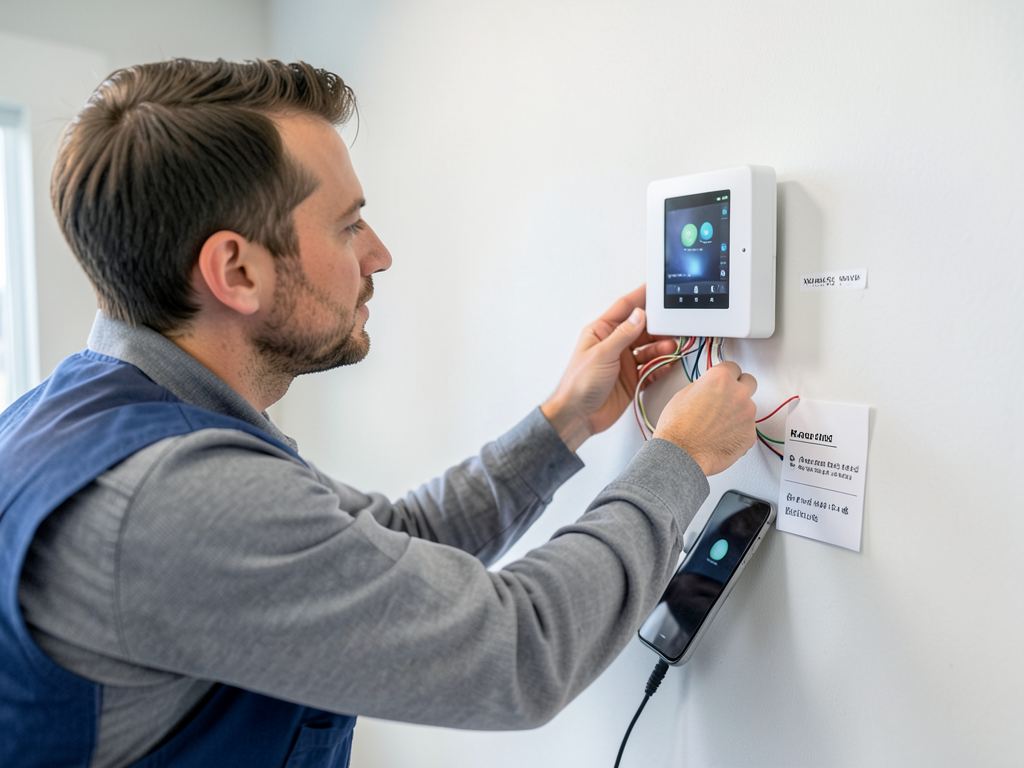
Carefully detach the old unit and label the wires.
- Install New Thermostat
Connect the wires to the matching terminals on your new thermostat.
- Power On and Configure
Restore power and follow the app’s setup instructions.
- Connect to Wi-Fi
Link the thermostat to your home network.
- Link to Google Home or Alexa
Use the respective app to add your thermostat as a device.
- Test Voice Commands
Try basic commands like “set thermostat to 72 degrees” to confirm everything works.
Voice Control Setup
Once your thermostat is online, adding it to your voice assistant is simple:
Google Home
- Open the Google Home app.
- Tap “+” and choose “Set up device.”
- Select “Works with Google” and find your thermostat brand.
- Follow the prompts to link your account.
Alexa
- Open the Alexa app.
- Tap “Devices” and then the “+” icon.
- Choose “Add Device” and select your thermostat brand.
- Log in to your thermostat account to complete the link.
Local Rebates and Incentives
Riverside Public Utilities (RPU) and Southern California Edison (SCE) both offer rebates for smart thermostats. These can save you $50 to $100 on your purchase. To qualify, your thermostat must be on the utility’s approved list and installed by a licensed professional. Check the RPU rebates page or SCE rebates page for current offers.
Managing Riverside’s Climate with Smart HVAC
Riverside’s hot, dry summers and mild winters mean your HVAC system works hard for much of the year. Smart integration helps by:
- Optimizing Cooling Schedules: Program your system to run less during peak afternoon hours when electricity is most expensive.
- Monitoring Air Quality: Some smart thermostats can link to indoor air quality monitors, alerting you to high pollen or dust levels.
- Preventing Overcooling: Set temperature limits to avoid wasting energy when no one is home.
Common Issues and Troubleshooting
Even with the best setup, you might run into a few hiccups. Here’s what to watch for:
| Issue | Possible Cause | Solution |
|---|---|---|
| Thermostat won’t power on | Missing C-wire or loose connection | Check wiring or install a C-wire |
| Voice commands not working | Device not linked or Wi-Fi issue | Re-link device or restart router |
| Incorrect temperature readings | Thermostat in direct sunlight or near a vent | Relocate thermostat or use room sensors |
| System not responding | HVAC breaker tripped or system error | Check breaker and reset if needed |
When to Call a Professional
While many smart thermostat installs are DIY-friendly, some situations call for expert help:
- No C-wire available: Running new wiring can be tricky and may require an electrician.
- Multi-stage or heat pump systems: These need specific thermostat models and wiring.
- Zoned HVAC systems: Smart integration with dampers and sensors is complex.
- Commercial or large residential systems: These often need specialized equipment and setup.
If you’re unsure, call a licensed HVAC technician. In Riverside, Horizon HVAC can handle everything from wiring to full system integration.
Energy Savings and ROI
Smart thermostats can save you 10-15% on heating and cooling costs annually. In Riverside, where AC use is high, that can mean $100-$200 per year. Combine that with local rebates and the convenience of voice control, and the investment pays for itself in just a couple of years.
Future-Proofing Your Smart Home
As more devices become compatible with smart home platforms, your HVAC can be part of a larger ecosystem. Consider integrating with:
- Smart Vents: Direct airflow to specific rooms for better comfort and efficiency.
- Air Quality Monitors: Automatically adjust ventilation when pollen or smoke levels rise.
- Smart Fans: Use ceiling or whole-house fans to reduce AC use on mild days.
Call to Action
Ready to connect your Riverside HVAC system to Google Home or Alexa? Call (951) 223-9644 today to schedule your smart thermostat installation and get expert advice on the best options for your home. Don’t wait—stay cool and save energy all summer long. How Much Does a New AC Installation Cost in Woodcrest Today?.
Frequently Asked Questions
Can I install a smart thermostat myself?
Yes, if you’re comfortable with basic wiring and your system is compatible. If you’re unsure or lack a C-wire, it’s best to call a professional.
Will my old HVAC system work with a smart thermostat?
Most modern systems are compatible, but older or complex systems (like heat pumps or zoned setups) may need a specific model or professional installation.
Are there rebates for smart thermostats in Riverside?
Yes. Riverside Public Utilities and Southern California Edison both offer rebates for qualifying smart thermostats. Check their websites for current offers.
How much can I save with a smart thermostat?
Smart thermostats can save 10-15% on heating and cooling costs annually, which can add up to $100-$200 per year in Riverside.
What if my Wi-Fi goes out?
Your smart thermostat will still control your HVAC manually, but remote access and voice control will be unavailable until the connection is restored.
You may also find this helpful. What Temperature to Leave Your AC on When Traveling Away from Riverside for the Summer.